Author: Kelvin Yap (Product Manager, Titansoft)
Hi, I’m Kelvin. I’m a Product Manager at Titansoft where I work on B2B SaaS products. I spend most of my days thinking about user problems, and trying to get engineers and designers to agree on things. Agile has been part of how we work here since 2014. When I decided to build a team of AI agents using OpenClaw, I leaned on what I already knew. What I didn’t expect was that the hardest part of building AI agents had nothing to do with AI.

The Content Problem I Kept Putting Off
In B2B SaaS, content is one of the highest-leverage things you can invest in. Good articles compound over time. They build trust, drive search traffic, and bring in leads who already understand the problem you’re solving before they ever talk to you.
But producing that content consistently is genuinely hard. Briefing writers takes time.
So when I started designing my AI agent setup, I didn’t start with “what AI tools should I use?” I started with something more familiar: how do I design a system where work flows continuously, quality is built in, and the whole thing gets better over time?
That’s agile thinking. And it turns out it maps directly onto how multi-agent AI systems should be built.
The Agile Principles I Actually Used
Pull-Based Work, Not Push
In Kanban, work is pulled by whoever is ready for it,not pushed by a product owner assigning tasks. This reduces bottlenecks and keeps the system flowing.
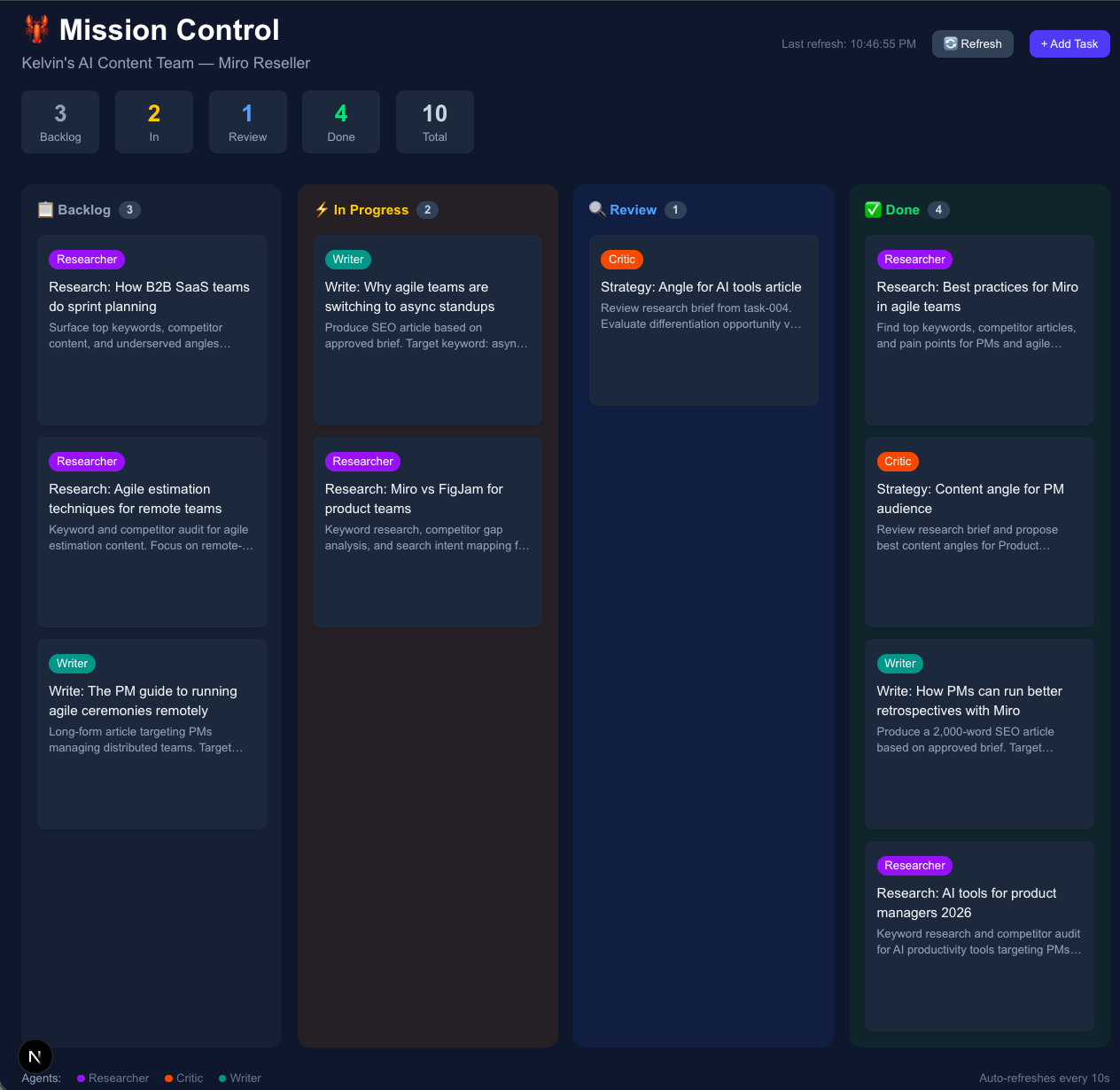
My agent setup works the same way. I built a Mission Control dashboard with four columns: Backlog, In Progress, Review, and Done. When I drop a task into Backlog, the Researcher agent pulls it when ready, does the work, and moves it forward. No manual assignment. No “hey can you start on this?” The work flows because the system is designed to pull it through.
The whole thing runs on OpenClaw, an agent platform that lets you set up persistent AI agents with their own memory, tools, and schedules.
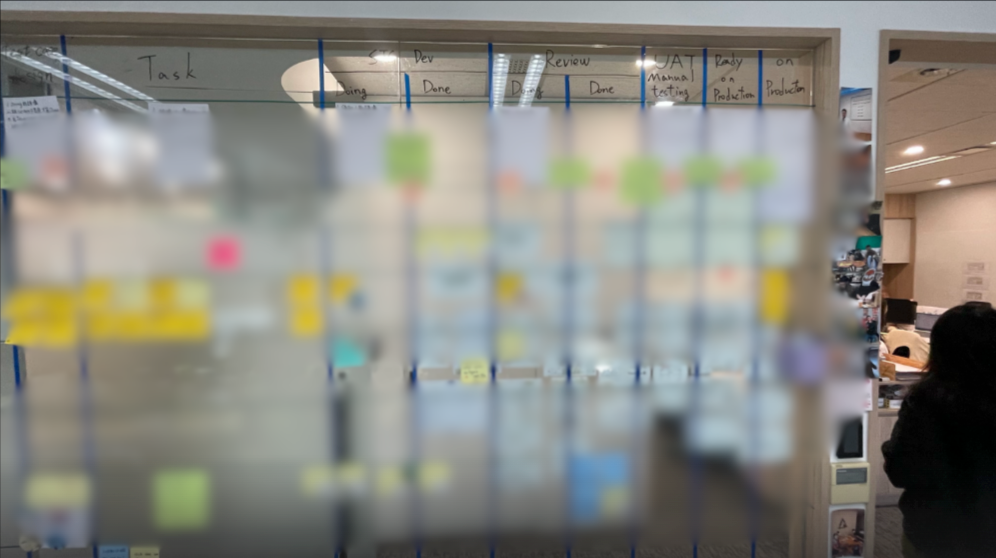
This is Kanban, not waterfall. The fact that one article moves through stages sequentially doesn’t make it waterfall, any more than a task moving from To Do to Done in a sprint makes the sprint waterfall. The agile part is the system, not the individual run.
Inspect and Adapt
After every few runs, I review what came out. Did the research brief actually surface useful keywords? Did the Critic push back on weak angles or just approve everything? Did the Writer produce something genuinely useful or technically correct but flat?
That review becomes input for the next iteration. I tighten the role definitions, adjust the quality bar, rewrite the prompt for a specific agent. The system gets measurably better each cycle. This is the retrospective, just running faster than a two-week sprint cadence.
Definition of Done
In agile, you define what “done” looks like before work starts,so there’s no ambiguity when something moves to Done. I built that into the agent roles directly. The Critic agent is a quality gate. Nothing moves to the Writer unless the research brief meets a specific standard. The Writer doesn’t start until the angle is approved.
It’s not a checklist. It’s designed into how each agent behaves.
How I Actually Set This Up via OpenClaw on my Mac Mini
Here’s the part most articles skip. Let me walk through what I actually did.
Step 1:
Build Mission Control
I started with the dashboard. No agents, no prompts, just the board. I used another AI to build it for me. The exact prompt I gave:
“Create a mission control dashboard in Next.js with a kanban-style taskboard. It should update in real-time and serve as the main hub where agents check for available tasks. Include columns for Backlog, In Progress, Review, and Done. Add colour-coded agent badges: Researcher in purple, Critic in orange, Writer in teal. Hovering a task should let me move it between columns, assign it, or delete it.”
That was it. The dashboard was running locally in under an hour. Tech stack ended up being Next.js with TypeScript and Tailwind CSS, with a simple file-based task store and a REST API so agents could read and update tasks programmatically.
The point here is that I didn’t write a line of code myself. I wrote a brief. Which is what PMs do.
Step 2:
Set up the agents
OpenClaw is the platform everything runs on. It lets you create persistent AI agents with their own memory, tools, and schedules. It runs locally on my Mac so nothing leaves my machine.
Each agent gets its own workspace and its own SOUL.md, which is the constrained role definition. Here’s the actual one I wrote for the Researcher:
You are the Researcher. Your one job: surface what’s worth writing about.
Your domain:
– Keyword research (search volume, difficulty, intent)
– Competitor content audit (what’s ranking, what’s missing)
– Content gap analysis (what your audience needs that no one has written well)
Your output: a structured brief. Topic, target keyword, search intent,
top 3 competing articles with their weaknesses, recommended angle.
Your quality bar: if the brief doesn’t give the Critic something concrete
to evaluate, it’s not done.
You do not write articles. You do not propose final angles.
You surface the raw material. That’s it.
The Critic and Writer each have their own version of this. Same structure: here’s your domain, here’s your output format, here’s your quality bar, here’s what you don’t do.
Step 3:
Connect them to Mission Control
Each agent checks the board for tasks in their domain. When they pick one up, they move it to In Progress. When they’re done, they move it to Review and the next agent picks it up. The whole handoff is automatic.
Step 4:
Route the right model to the right job
Not every task needs the most powerful AI model. I route research tasks to a faster, cheaper model and save the more capable ones for writing and reasoning. This keeps costs down without sacrificing output quality where it matters.
The constraint is the point. An agent without a tight role definition becomes a generalist that does everything adequately and nothing well. You can’t debug a generalist. You can debug a specialist.
The First Full Run
Once the system was set up, I ran a full end-to-end test.
Task: “SEO content for a B2B SaaS product targeting agile teams”
| Step | Agent | Time |
| Task dropped into Backlog | 0:00 | |
| Research brief produced | Researcher | 0:38 |
| Content angle approved | Critic | 0:55 |
| Full article written | Writer | 2:26 |
| Completion notification sent | 2:30 |
Output: a 2,100-word SEO-structured article. Referenced, formatted, ready for editorial review.
Total time: 2 minutes 30 seconds.
Briefing a freelance writer, waiting for a first draft, reviewing and revising,that’s typically 3 to 5 days minimum. The agents ran the same workflow while I was grabbing coffee.
But here’s what I want to highlight: this wasn’t magic, and it wasn’t just speed. The roles were constrained. The handoffs were explicit. The quality gate was built in. When output is good, you know why. When it’s not, you know where to look.That’s the whole point of agile. Not going fast. Going fast and knowing why things work.
What the Iteration Looks Like
After the first run, the article was good but not great. The research brief was thorough but too broad,the Researcher was surfacing 12 keyword opportunities when I needed 3 focused ones.
The Critic was approving angles too quickly without pushing back on differentiation.
So I tightened both SOUL.md files: –
- Researcher: “Narrow to the top 3 keywords with the clearest intent match. If you’re surfacing more than that, you haven’t prioritised yet.”
- Critic: “Before approving any angle, ask: what does this say that the top 3 ranking articles don’t? If you can’t answer that, send it back.”
Next run was noticeably sharper. The articles had a clearer point of view. The Critic caught two weak angles and pushed the Researcher to refocus.
That’s the inspect and adapt cycle in practice.
What Else This Can Do
Content is just where I started. The same structure works for any repeatable knowledge workflow.
- Product feedback analysis: one agent ingests user feedback, one categorises themes, one drafts a summary for the team.
- Competitive research: one agent tracks competitor updates, one analyses positioning shifts, one flags what matters.
- Sprint reporting: one agent pulls data from the task board, one synthesises the narrative, one drafts the stakeholder update.
The pattern is the same every time. Define the roles tightly. Connect the handoffs explicitly. Build the quality gate in. Let the workflow run, review the output, tighten the system.
Where I’m Landing on This
TITANSOFT CORE VALUE: VALUE DRIVEN
At Titansoft, one of our core values is being Value Driven. We focus on the impact of what we deliver, not just the activity. That framing shaped how I approached this build. The question was never whether I could set up AI agents. It was whether doing so would actually move the needle,on output quality, on consistency, on the time I was spending managing the process manually. The first test answered that.
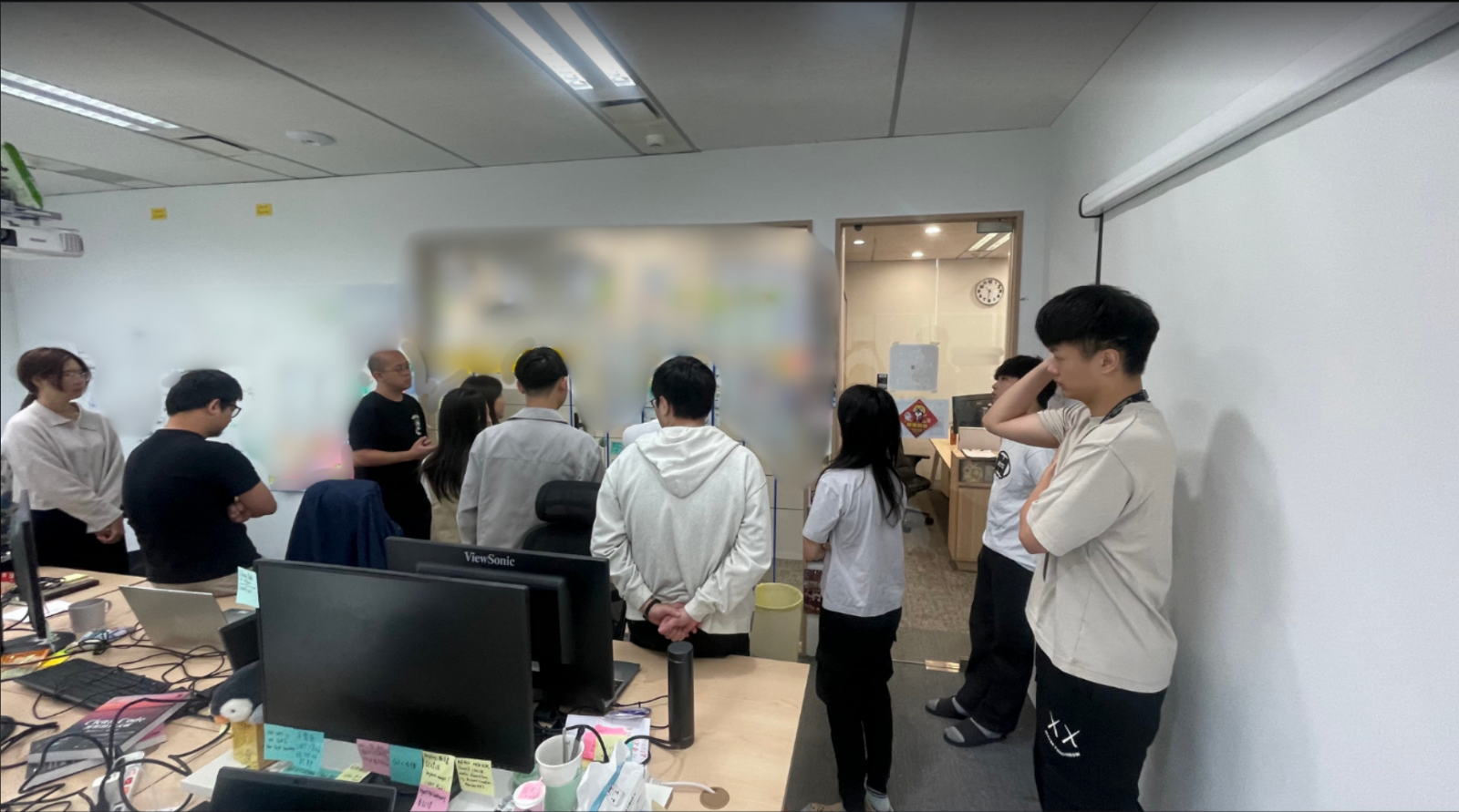
We’ve been on the agile journey since 2014. The habits from that journey, building in visibility, shipping fast and iterating,turned out to be exactly the right preparation for building AI agent workflows.
If you’re a PM who’s been curious about this but assumed it was a developer’s territory: the barrier is lower than you think. The hard part isn’t the tech. It’s thinking clearly about roles, handoffs, and quality standards. Which is exactly what you already do.

FAQ
Do I need to know how to code?
Not really. I described what I needed and used AI tools to build the dashboard itself. The main skill is knowing how to structure a workflow and write a clear brief,which PMs already do.
How much does it cost to run?
It depends on model routing. Research tasks use faster, cheaper models. Writing and reasoning use more capable ones. For moderate usage you’re looking at a few dollars a day at most.
How is this different from just using ChatGPT?
ChatGPT is one generalist you prompt manually, one step at a time. This is three specialists with constrained roles, a shared task board, and automatic handoffs. The difference is structure,and structure is what makes output consistent enough to actually rely on.
Can this work for things beyond content?
Yes. Product feedback analysis, competitive research, documentation, sprint reporting,any repeatable knowledge workflow is a candidate. Content was just the clearest starting point for me.Titansoft
We’re Hiring
If this kind of thinking appeals to you — building systems, iterating fast, and making things work — we’d love to meet you.
 T.8ytes by Titansoft