In Titansoft, we use code names to identify our projects. But for confidentiality purposes, instead of the actual code names, I’m going to use Pokemon names to refer to the projects related to this story.
This is a real story that happened 1-2 years ago. Initially, there’s this big, legacy project called Snorlax. Snorlax serves as the main desktop site for our users. There’s nothing particularly bad about Snorlax. It’s getting its job done, but it being a legacy project made it incredibly arduous to work with. It has a slow build time, is hard to change when there’s a new requirement, hard to fix when there’s a bug, and so on.
In addition to Snorlax, there’s Charmander, which can do most things that Snorlax can do, but it’s optimised for mobile browsers (because it was easier to write an entirely new mobile site project instead of making Snorlax mobile-friendly). However, it also shares the same problem as Snorlax—it’s a legacy project.
Several years later, we decided to revamp Charmander, give it a more modern look and write it cleanly. Let’s call this new project Charizard. Now, Charmander by no means is a small project, so it took us some time to fully develop Charizard. Objectively speaking, Charizard looks way better than Charmander.
However, to our surprise, our users didn’t seem to like the UI design of Charizard. It had a low adoption rate, and people kept using Charmander. Upon this realisation, we kept questioning ourselves – How did this happen? Why don’t people like the new design even though it’s objectively better? Have we wasted months of work developing something that the users don’t like?
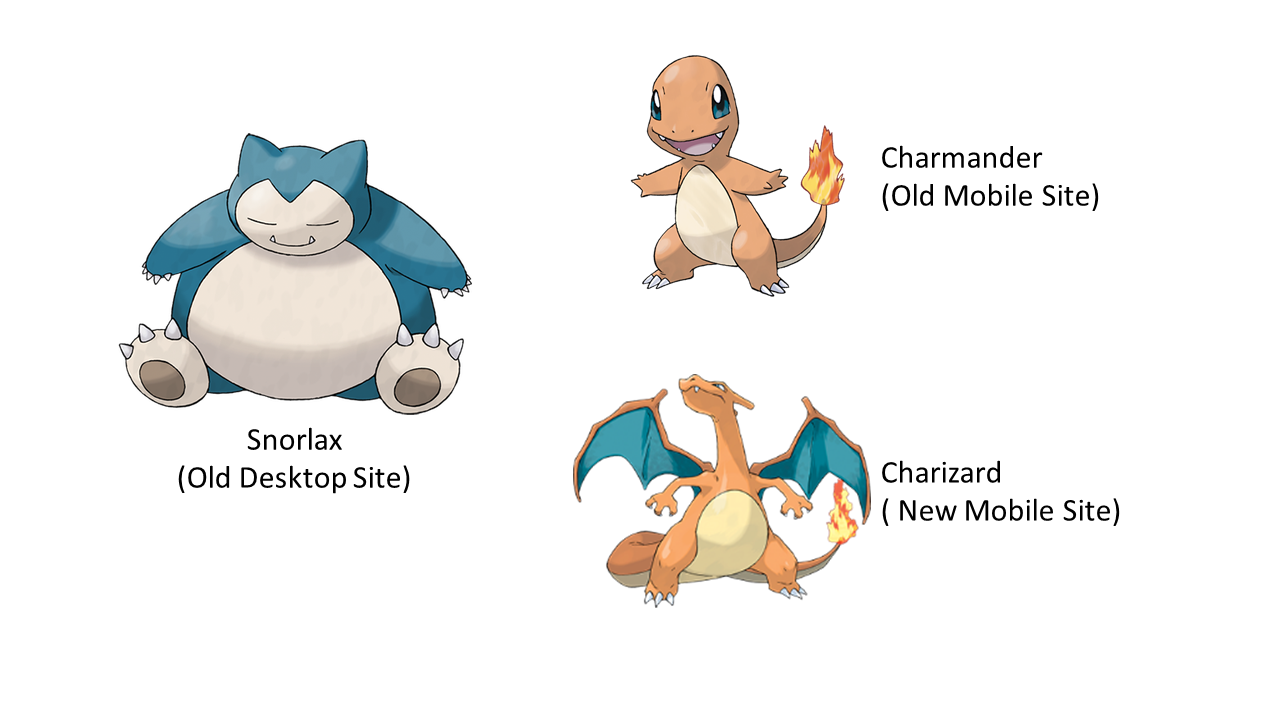
Snorlax, Charmander, and Charizard representing our legacy projects
Turns out, this is not surprising. It should’ve been an expected outcome. As Jakob Nielsen said, users will always complain every time we release a new user interface design. This doesn’t mean that the new design is worse than the old design. It’s because users are already familiar with the old way of doing things, and the changes we release will force them to learn again. Upon reflection, I felt that even I can relate to this behaviour. Remember the times when your favourite mobile app such as YouTube suddenly changed its layout? Everyone was furious for the first few months, but then we got used to it!
We also know that change is the only constant in this world. This is particularly true in the VUCA era, where everything – businesses, markets, consumers – are changing rapidly and unpredictably. Those that don’t adapt will perish and get left behind. Therefore, change is inevitable and it’s something that we need to embrace.

Today we live in the VUCA era that demands adaptability (source)
However, this situation causes a dilemma. We’ve established that we definitely should embrace change, but we’ve also seen that the users don’t like changes. Luckily, most of the things in the world are not black and white but a spectrum of shades. We definitely can take a middle-ground option, to introduce small, incremental changes that ultimately lead to the new UI design, without overwhelming the users with sudden, big changes. One of the ways to achieve this is by employing a development pattern called “micro-frontend”.

A high-level view of micro-frontend development (source)
“What is micro-frontend?”, you may be wondering. If you’ve heard about microservice patterns, micro-frontend is very similar to it, except it’s for frontend instead of backend projects. In a micro-frontend pattern, a frontend monolith is decomposed into smaller, simpler chunks that can be independently developed, tested, and deployed. This gives a lot of advantages. First of all, in the context of our Pokemon story, this pattern allows us to revamp the frontend of our legacy project incrementally, page by page, component by component. On top of that, from the perspective of the developers like us, micro-frontend allows us to break down the large, legacy, monolithic project, into smaller, decoupled codebases that are easier to manage and work on. In addition, it also allows different teams to independently work on different sections of the product, and deploy them separately as well, thus reducing the risk of breaking unrelated parts of the project.
And thus, this micro-frontend approach is what we did in the end. Hence, another collection of frontend projects called Magneton is born! You see, Magneton looks like three smaller Pokemon joined together. I chose this Pokemon because the new frontend project also consists of multiple smaller modules that can be developed and deployed separately. So, we started to replace Snorlax (the old desktop site) with Magneton, page by page. Each page in Magneton is a separate module that is developed and deployed separately. The pages implemented in Magneton must cover all the features in the corresponding Snorlax page, and it has to look nicer and faster as well. Then, we integrated Magneton and Snorlax, in such a way that the user will always see the Magneton version first if it’s available, but we also provided an option for the user to switch back to the old Snorlax page. In this way, we are letting the user know that there’s a new UI design for the page, but still give them the option to go back to the old page if they want. Another benefit that we get as a developer is that we can quickly disable the new page in Magneton if we find that something is not working properly, because good old Snorlax will still be there as a reliable backup page.

Magneton, a Pokemon in a form of other Pokemon combined together
One advantage of Agile Development is that we can collect feedback earlier by releasing part of our product earlier. This allows us to incorporate the feedback right away in the next iteration of Magneton and prevents us from making the same mistake on future pages (#NeverStopImproving!). It is highly encouraged, when working on the feedback or adding a new feature, to only add it to the new version of the page. This makes the new page more compelling for users to try out. Also, we ultimately want to retire the old page, hence we should not waste our effort working on something that we want to get rid of in the end.
All sounds good, and now you might be tempted to use micro-frontend development right away in your projects! But beware that everything comes with a cost. There is no one-size-fits-all solution. The advantages that micro-frontend gives come with some drawbacks that you need to be aware of before you decide to use it for your projects. First, there may be some duplicated code or library packages across multiple modules. For example, most, if not all of your modules will use the React framework, thus each compiled bundle may include the duplicated React package, if not configured properly. There may also be duplicated business logic and frontend components that you may want to share across modules. This is especially prevalent if multiple teams are working on different modules separately. The second issue is related to the first one, which is that it may be harder to keep your UI and styling consistent across all modules. Even if you’ve made changes in one shared module, you may still need to redeploy all your modules for the change to be applied. Of course, all these issues are solvable if dealt with correctly.
In summary, our journey from Snorlax to Charizard to Magneton shows the ups and downs of updating old projects. By using a micro-frontend approach, we found a way to make changes without scaring off our users. Sure, there were some bumps along the road, especially after we spent the effort to build websites that ended up with low usage. However, instead of giving up and blaming ourselves, we learnt from our mistakes and managed to keep things moving forward. While micro-frontend development has its challenges, the benefits outweigh the drawbacks, helping us stay flexible and user-focused in a fast-changing world. So, remember, change might be tough at first, but it’s often worth it in the end.
 T.8ytes by Titansoft